
Customer credit
Every credit note is kept with its due date and payment history, along with the balance owed by each customer.
Point of sale and business management app
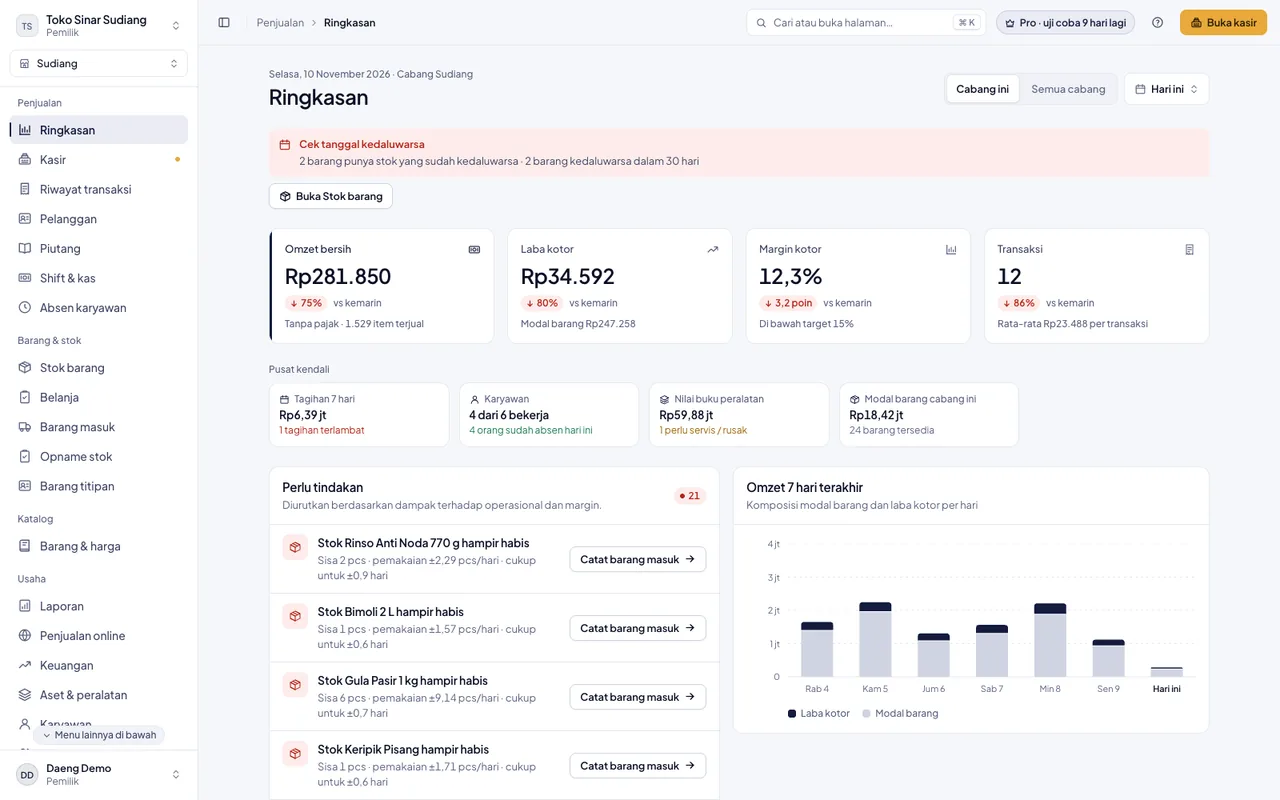
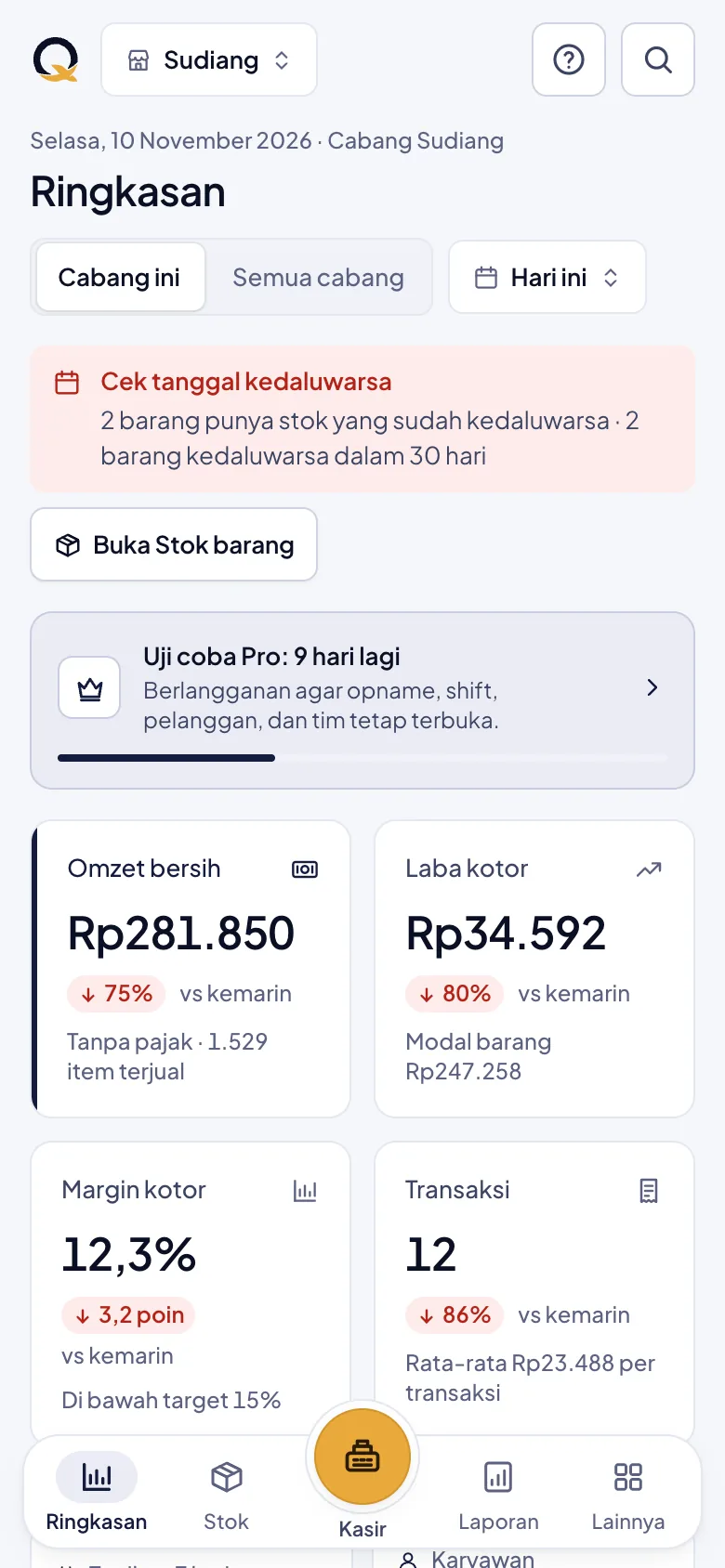
Every sale updates stock and reports at once, so the state of the business is visible without putting the records together again. Recording keeps working when the connection drops.
Sectors
The sector is chosen once, when you sign up. QPOS then prepares the modules and the wording that belong to it, so menus that do not apply are left out.
A recipe is recorded for each menu item, so ingredient stock goes down by itself on every sale. What needs buying is visible before an ingredient runs out.
Barcode scanning with tiered units, and separate prices for buying by the piece and buying in bulk.
Every order is tracked from the moment it is taken in until it is handed back, and each worker's commission is counted on every sale.
Recorded automatically
There is no separate bookkeeping to redo at the end of the day. Some modules depend on your sector and your plan; the detail is in the pricing section.
Every credit note is kept with its due date and payment history, along with the balance owed by each customer.
Stock goes down on every sale, and goods close to running out are flagged before you actually run out.
Retail and wholesale prices are kept apart and picked according to the customer being served.
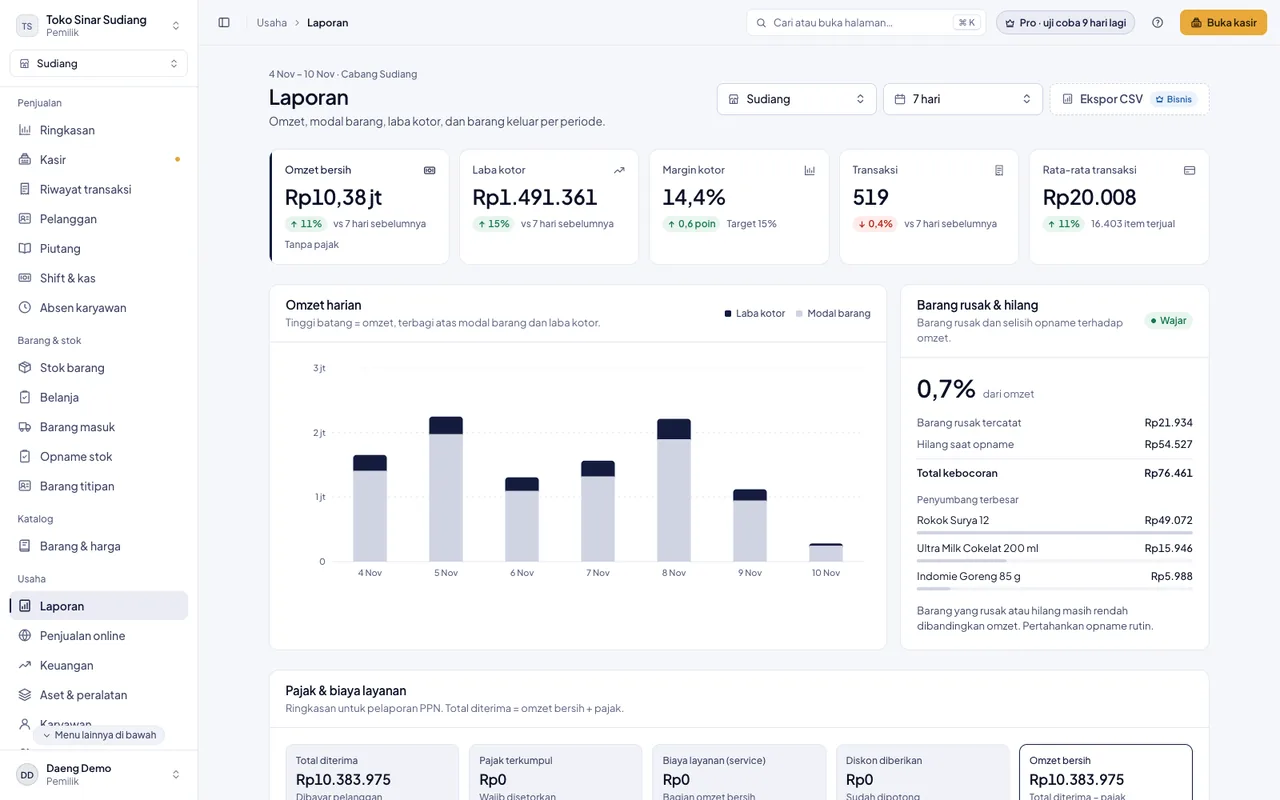
Damaged goods and goods past their shelf life are recorded as adjustments, so the variance shows up in the reports.
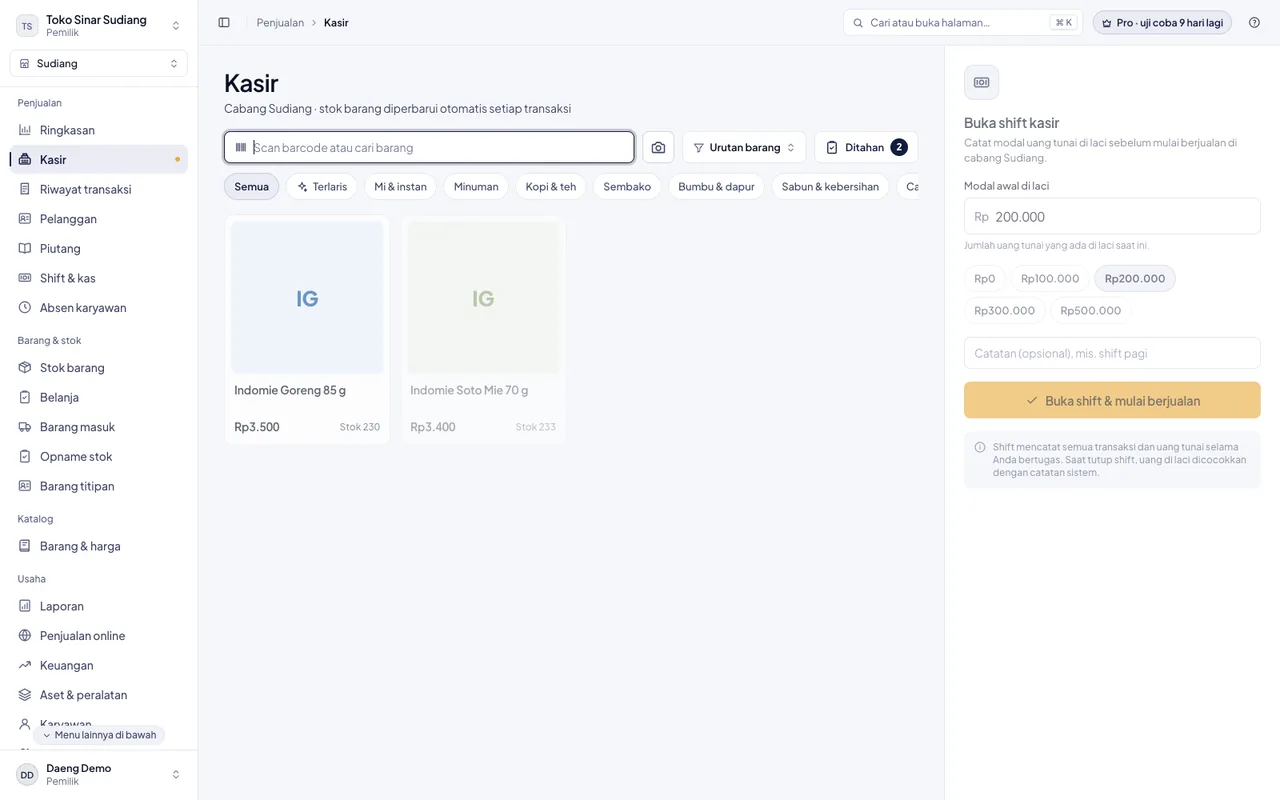
Opening cash, takings, and deposits are recorded per shift, so the drawer can be reconciled at closing.
Cost of goods, wages, rent, and other expenses are counted in, so the report shows what is actually left.
Inside the app
No special machine is needed to begin. A receipt printer and a cash drawer can be added later, as the need arises.
Getting started
An email address and a business name are enough. The modules and the wording are prepared for the sector you pick, so you do not begin on an empty page.
Goods or services can be entered one at a time, uploaded in bulk from Excel, or pulled in by scanning barcodes.
Run it from a phone, a tablet, or a computer. Receipts can be printed or sent over WhatsApp.
Features
Which modules you get depends on your sector and your plan. Cards marked Featured belong to the paid plans. The detail is in the pricing section.
Sales are kept on the device and sent automatically once the network returns, so you do not have to stop serving when the connection drops.
The network goes down in the middle of a busy hour, and the register screen keeps being used as usual.
Each sale joins a queue on the device in use, with its full contents.
As soon as the network returns, the queue is sent on its own, without being asked.
Revenue less cost of goods, then less the wages, rent, and other expenses you record in the Finance menu, so what you see is net profit, not gross profit.
The starting point: net sales after discounts, excluding tax, in the period you choose.
The purchase price of the goods or ingredients sold.
Salaries and wages, posted automatically from payroll.
Rent for the premises, a warehouse, or a kiosk.
Electricity, packaging, and other operating costs.
An estimate of what is left after every cost you record, for day to day monitoring.
Attendance, advances, commission, and payroll are recorded alongside the sales data.
Branches can be added as the business grows. On the top plan, every branch is visible on one screen.
Records are kept on the server, not only on one phone. Backups can be scheduled every day, week, or month, and the owner can restore the data at any time.
Consigned goods are counted per consignor, so the consignor's share and your share do not get mixed up.
Buying prices and profit appear only for the owner and the roles you allow. Each role sees no more than it needs.
A sale is done in seconds, and every amount taken leaves a trace.
Sales as they happen can be checked from anywhere, without being on the premises.
Phone, tablet, and computer use the same account, and the layout follows the size of the screen.
Our principles
All three sectors run on the same system. If your business grows or adds a line, there is no need to move to another app and leave the old records behind.
QPOS is built and maintained by PT Pinisi Teknologi Nusantara in Makassar. We do not resell someone else's app, so a request for a fix reaches the team that built it.
Sales, shifts, and customer credit are still recorded with no network, then sent automatically. In many parts of Indonesia this is not an extra; it is what keeps the service from stopping.
The Free plan does not end after a set period and does not ask for card details. You move to a paid plan when the business genuinely calls for it.
Pricing
The Free plan is not a trial that stops after a few weeks. It stays usable at no cost. Every new business also gets a 14-day Pro trial, with no card details needed.
Rp0forever
For trying it out and for a business that is just starting.
The best fit for most businesses
Rp99,000Rp89,000Rp79,000/month
Billed monthly, cancel any time. Billed Rp267,000 every 3 months. Billed Rp948,000 per year.
Rp349,000Rp319,000Rp279,000/month
Billed monthly, cancel any time. Billed Rp957,000 every 3 months. Billed Rp3,348,000 per year.
Prices apply per business. One account may hold up to 5 businesses on any paid plan, and each is billed separately. These are introductory prices and may change at the official launch. Subscriptions are paid only by transfer to an account in the name of PT Pinisi Teknologi Nusantara. We never ask for a transfer to a personal account.
FAQ
Yes, on the Pro and Business plans, and during the 14-day trial. Sales, opening and closing a shift, and customer credit can still be recorded while the network is gone. They are kept on the device and sent by themselves once the internet returns. What still needs the internet: signing in for the first time on a device, reports, and settings.
No. QPOS runs in the browser on the phone, tablet, or computer you already have. A receipt printer and a cash drawer can be added later, and neither is required to start.
Partly. A food and beverage business can still sell finished goods alongside prepared menu items. The modules that belong to retail, such as tiered units, wholesale prices, and customer credit, open only in retail and wholesale. If your business genuinely runs two lines, create two businesses in one account, each with its own sector. One account may hold up to 5 businesses, and the rule is the same on every paid plan: each business has its own subscription. You can add the next one once every business you already have is on an active paid plan; the 14-day trial does not count yet.
Data is kept on the server, not only on the cashier's phone, and each business can see only its own data. You decide who may see cost and profit. An owner can also create a backup and restore it without help; on the Pro and Business plans that backup can be scheduled automatically. How we store and use data is set out in our QPOS privacy policy (the page opens with an ID/EN switch).
No. That business drops to the Free plan and its sales data stays as long as the account is not deleted. What changes is which features are open and how far back the reports go.
QPOS is built and owned by PT Pinisi Teknologi Nusantara, a digital product studio in Makassar. We build our own apps and maintain them for the long run.
Free to begin, and you can stop at any time. Anything you want to ask first? Ask us on WhatsApp.